
actualbudget Integration
jlvcm
On Home Assistant 2026.11 or newer? Open it in the Marketplace
- Installs
- 112 sharing analytics
- GitHub stars
- 152
- Connection
- Uses the vendor's cloud
- Upkeep
- No update in 6 to 18 months
- Version
- v4.0.0,
- Category
- Finance
- Kind
- Marketplace integration
- Needs
- Needs the Marketplace (HACS on 2026.10 and older)
- Domain
actualbudget- Issues
- Report an issue
Independent directory, made by the developer of Vulpo. Not affiliated with Home Assistant or the Open Home Foundation.
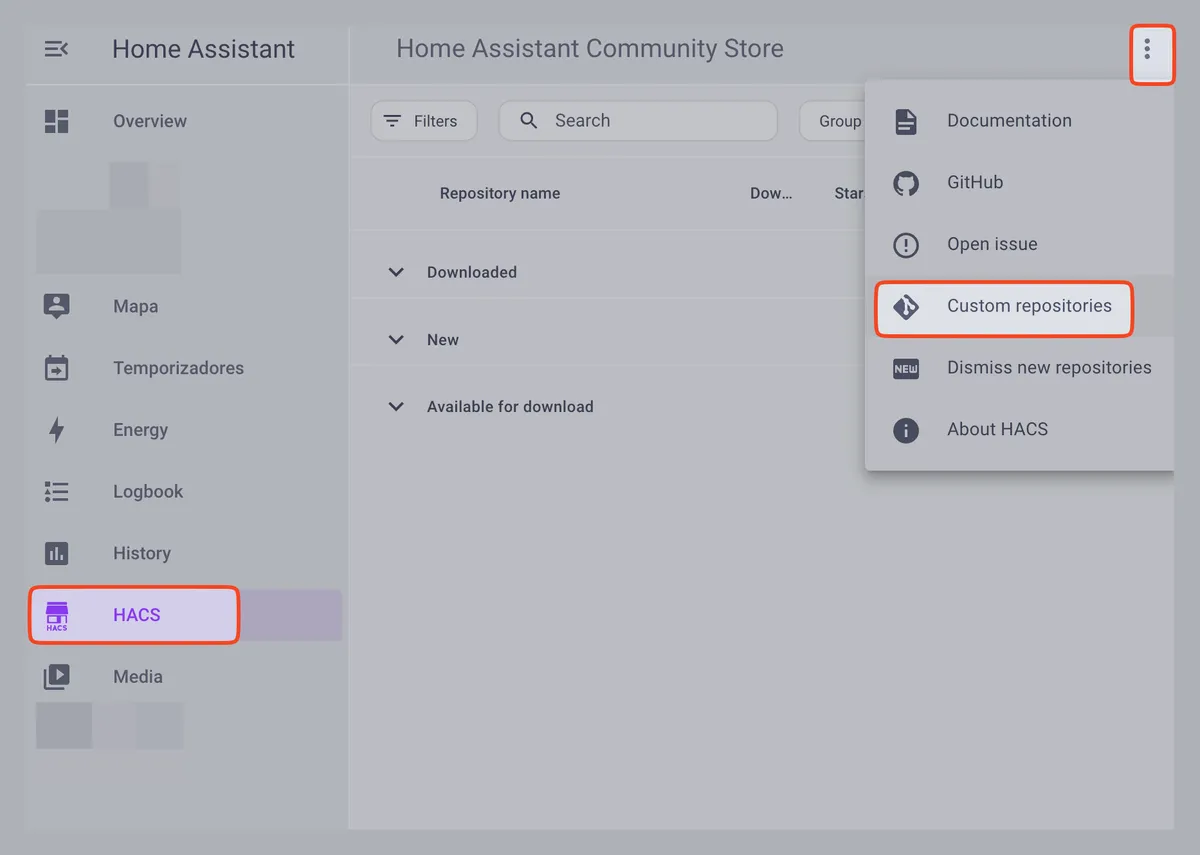
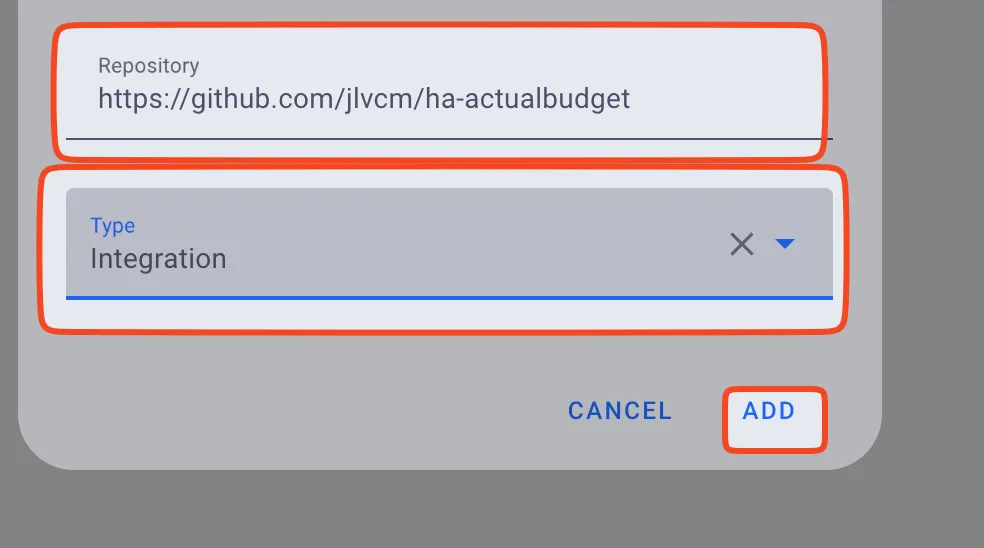
Screenshots From the README of jlvcm/ha-actualbudget.
About
The actualbudget Integration connects Home Assistant to Actual Budget and exposes budget data as sensors. It talks to an Actual Budget endpoint through the vendor's cloud, using a password and a file id from the budget. The login step also offers an option to encrypt the password, a unit setting, and a certificate field with the choice to skip certificate validation. Two actions are provided, one to synchronize transactions and one to synchronize budgets. Setup happens in the user interface, and the integration needs the Marketplace, or HACS on version 2026.10 and older.
Automatic summary of the code of jlvcm/ha-actualbudget. Something wrong, or are you the maintainer and want your own text here? Get in touch
Supports
Uses the vendor's cloud Needs an internet connection and an account with the vendor.
From the Marketplace Installed through the Marketplace, formerly HACS.
Provides
- Sensors
Setting it up
Install it from the Marketplace and restart Home Assistant, then add it under Settings, Devices and services.
Login
- actualbudget endpoint
- password
- encrypt password
- file id
- Skip certificate validation
- certificate
- unit
Actions
- Synchronize transactionsFields: Actual Budget instance
- Synchronize budgetsFields: Actual Budget instance

Shows in Vulpo
Chart card, Apple Watch.Information
- Installs
- 112 sharing analytics
- GitHub stars
- 152
- Connection
- Uses the vendor's cloud
- Upkeep
- No update in 6 to 18 months
- Version
- v4.0.0,
- Category
- Finance
- Kind
- Marketplace integration
- Needs
- Needs the Marketplace (HACS on 2026.10 and older)
- Domain
actualbudget- Issues
- Report an issue