

Maintenance Supporter
iluebbe
On Home Assistant 2026.11 or newer? Open it in the Marketplace
- Installs
- 678 sharing analytics
- GitHub stars
- 129
- Connection
- Works locally
- Upkeep
- Updated in the last 6 months
- Version
- v2.111.0,
- Category
- Productivity and information, Calendars and to-dos
- Kind
- Marketplace integration
- Needs
- Needs the Marketplace (HACS on 2026.10 and older)
- Domain
maintenance_supporter- Issues
- Report an issue
Independent directory, made by the developer of Vulpo. Not affiliated with Home Assistant or the Open Home Foundation.
Screenshots From the README of iluebbe/maintenance_supporter.
About
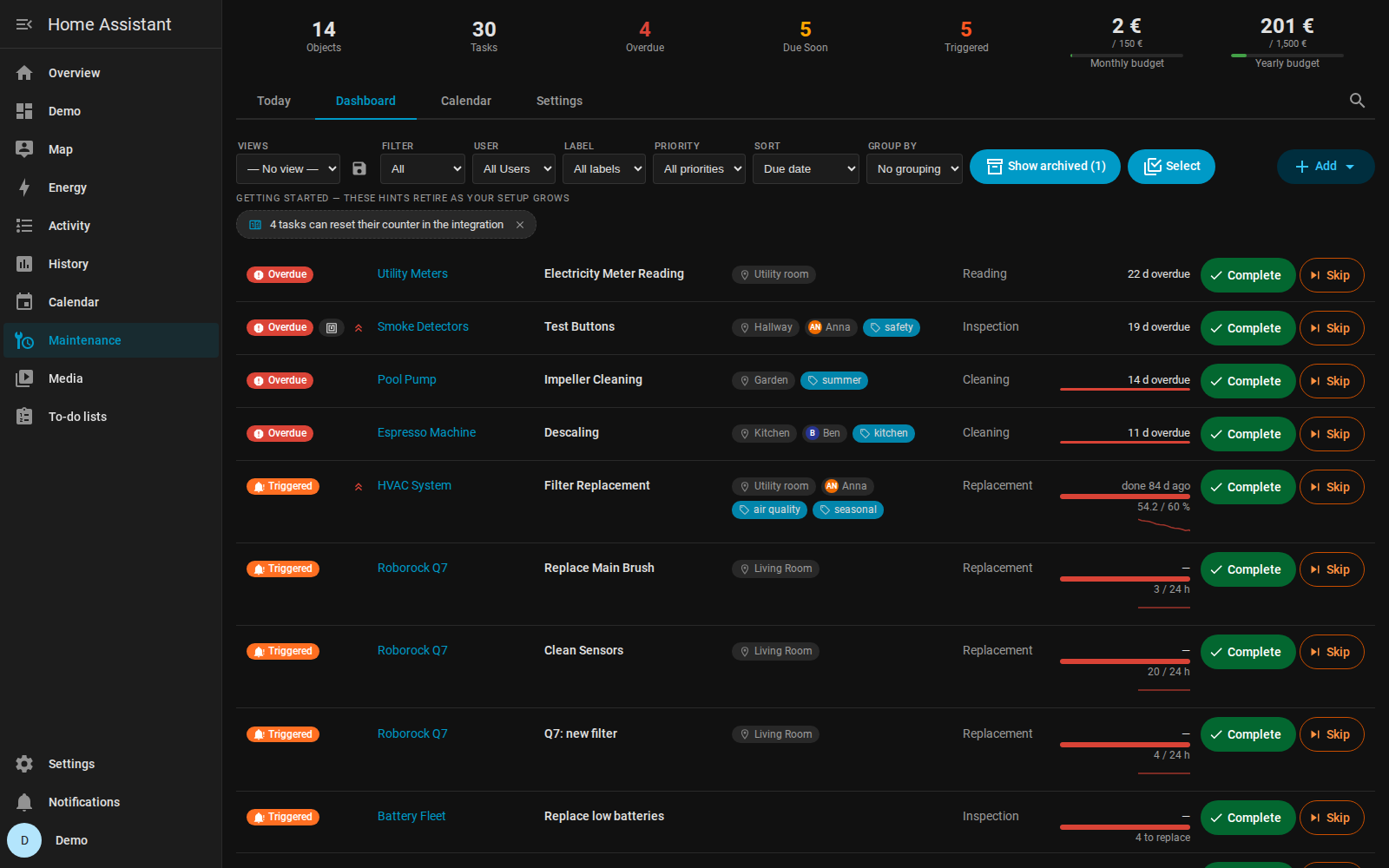
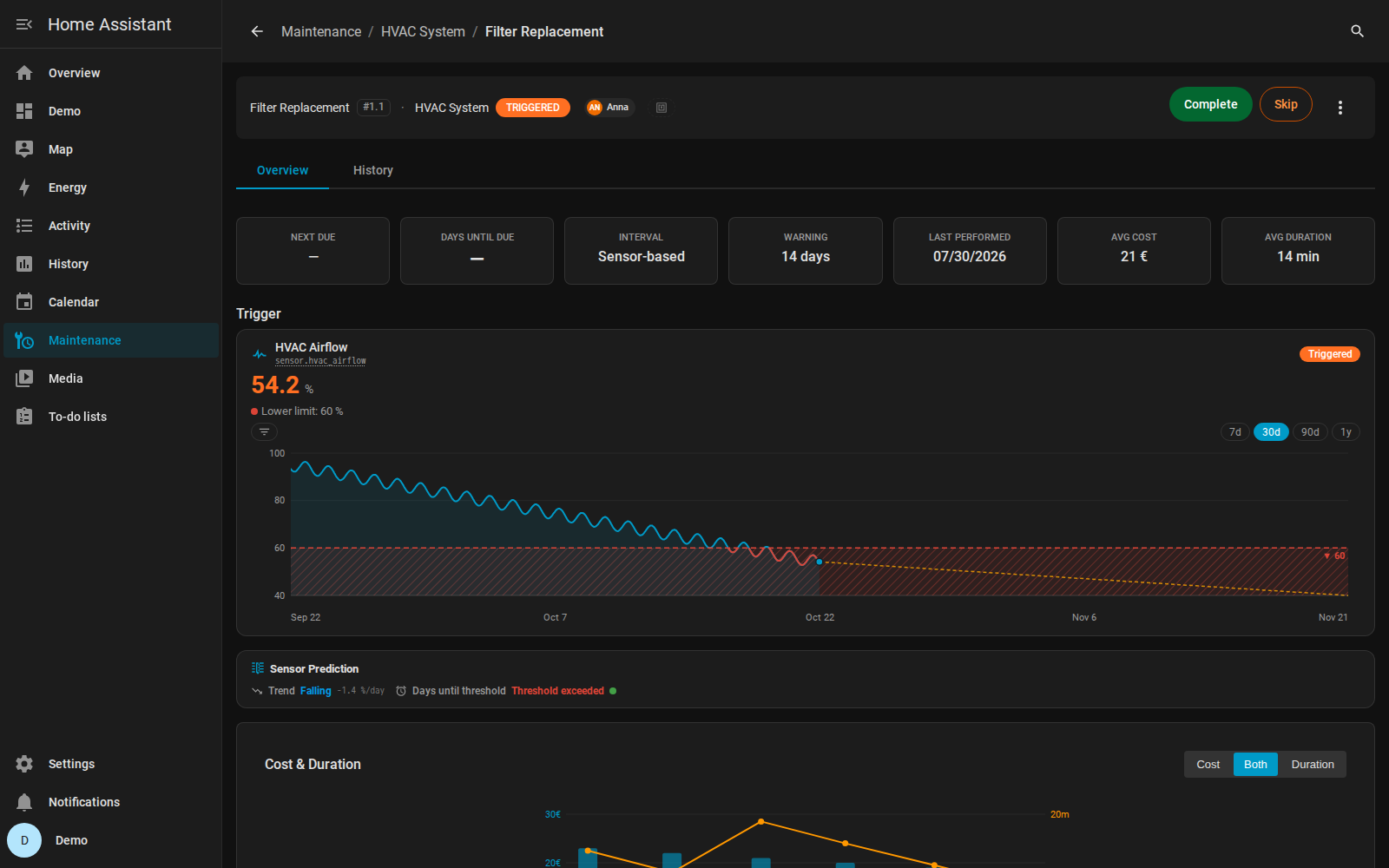
Maintenance Supporter tracks recurring upkeep of household items such as filters, pumps, cars and appliances inside Home Assistant. Tasks can follow a time interval, including patterns like the last business day of the month, or be bound to sensor data such as runtime, counters or thresholds. Adaptive scheduling can learn real intervals from history and suggest better ones. It adds sensors, buttons, a calendar, a to-do list and an overdue binary sensor, plus actions to complete, skip, add and list tasks. Tasks can be assigned to household members, with notifications that support quiet hours, bundling and mobile action buttons. Costs, budgets with alerts, spare part stock and warranty dates are tracked, and it works locally with setup in the UI.
Automatic summary of the README and code of iluebbe/maintenance_supporter. Something wrong, or are you the maintainer and want your own text here? Get in touch
Supports
Works locally Talks to your devices on your own network. No vendor cloud in between.
Works with Assist Brings its own voice commands to Home Assistant's Assist.
Device triggers Its devices can start automations directly.
From the Marketplace Installed through the Marketplace, formerly HACS.
Actively maintained Its author released or pushed a change in the last six months.
Provides
- Sensors
- Calendars
Setting it up
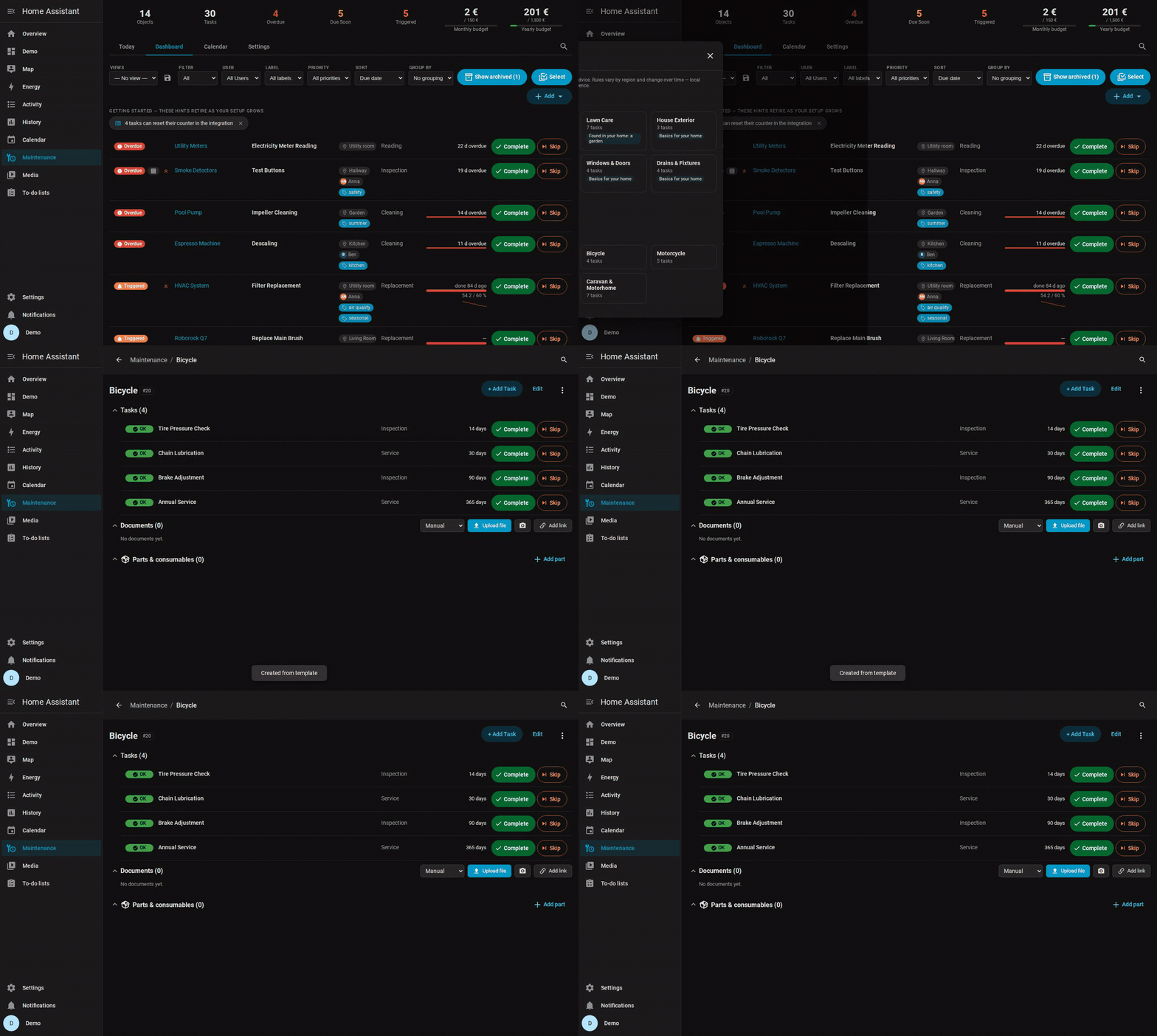
Install it from the Marketplace and restart Home Assistant, then add it under Settings, Devices and services.
Select Template Category
- Category
- Go backReturn to the main menu without saving.
Select Template
- Template
- Go backReturn to category selection without saving.
Customize Template
- Object nameA name for this maintenance object.
- AreaThe area where this object is located.
- ManufacturerThe manufacturer of the object.
- ModelThe model name or number.
- Serial numberThe serial number of the object.
- Manual / documentation URLOptional link to a PDF manual, vendor page, or any URL with reference info for this object.
- NotesFree-form notes about the object — part numbers, procedures, settings reminders, etc.
- Go backReturn to template selection without saving.
Global Settings
- Default warning days before dueNumber of days before a maintenance task is due to show a warning.
- Enable notificationsSend notifications when maintenance tasks become due.
- Notification serviceThe notification service to use (e.g., notify.mobile_app_phone).
Create Maintenance Object
- Object nameA unique name for this maintenance object (e.g., 'Pool Pump', 'Car').
- AreaThe area in your home where this object is located.
- ManufacturerThe manufacturer of the object.
- ModelThe model name or number.
- Serial numberThe serial number of the object.
- Manual / documentation URLOptional link to a PDF manual, vendor page, or any URL with reference info for this object.
- NotesFree-form notes about the object — part numbers, procedures, settings reminders, etc.
- Installation dateWhen this object was installed or purchased.
- Warranty expiryWhen the manufacturer warranty for this object expires.
- Go backReturn to the main menu without saving.
Add Maintenance Task
- Task nameA descriptive name for this task (e.g., 'Filter Cleaning', 'Oil Change').
- Maintenance typeThe category of maintenance work.
- Schedule typeHow this task should be scheduled.
- Task iconOptional custom icon for this task (e.g., mdi:oil, mdi:filter-variant).
- Go backReturn to the task menu without saving.
- Reading unit (for reading tasks, e.g. kWh)
Time-based Schedule
- IntervalHow often this maintenance repeats, combined with the interval unit.
- Interval unitUnit for the interval: days, weeks, months or years. Months and years follow the calendar.
- Last performedWhen this maintenance was last performed. Leave empty if never done.
- Warning days before dueNumber of days before due date to show a warning.
- Go backReturn to task creation without saving.
- Interval anchorHow the next due date is calculated after completion. 'Planned' prevents schedule drift by anchoring to the original due date.
One-time Task
- Due dateThe date this one-time task is due.
- Warning days before dueNumber of days before the due date to show a warning.
- Go backReturn to task creation without saving.
After setup
- Adaptive SchedulingShow EWA, Weibull analysis, and interval suggestions for tasks.
- Seasonal AdjustmentsShow seasonal factor charts and monthly adjustment data.
- Environmental CorrelationShow environmental correlation (temperature, humidity) adjustments.
- Budget TrackingShow monthly/yearly budget tracking and alerts.
- GroupsShow maintenance group management.
- ChecklistsShow task checklists for step-by-step completion.
- Time-of-day schedulingAllow tasks to become overdue at a specific time of day instead of midnight.
- Completion actionsPer-task HA action on complete + quick-complete QR with pre-set values.
- PlacesObjects maintained at another place (a Home Assistant zone): reminders only while somebody is there, and a message on arrival.
- Allow selected users to create, edit and deleteOff (default): only admins can modify content. On: the users selected below also get full create/edit/delete access.
- Users with full panel accessListed users see the full panel; everyone else sees only Complete and Skip on each task.
- Default warning days before dueNumber of days before a maintenance task is due to show a warning.
- Enable notificationsSend notifications when maintenance tasks become due or are overdue.
- Notification serviceThe notification service to use (e.g., notify.mobile_app_phone).
- Show sidebar panelShow a Maintenance Supporter panel in the sidebar.
- Decimal places for amountsHow many decimals every amount shows — KPIs, budgets, costs in lists and reports, budget alerts. 0 = whole numbers.
- Spare parts count as spendingWhen bought: a buy reminder's cost counts, parts used on a job are shown as information. When used: every completion books the parts it used, and a purchase sets the part's price instead. Applies to completions from now on.
- Battery low threshold (%)Fleet-wide floor: a battery at or below this level counts as low unless its Battery Notes threshold is higher.
- Battery counts as replaced above (%)A low battery stays counted as low until its level rises above this value or a replacement is recorded — so a level hovering around the low threshold cannot complete the fleet task again and again.
- Battery counts as low after (minutes)A battery must read low this long before it counts as low, so a sensor that reports a very low level for a moment and recovers by itself does not put it on the list. 0 = at once.
- Record a replacement automatically when a low battery recoversWhen a battery that was low rises above the recovery threshold, the replacement date is recorded in Battery Notes and the spare cells are taken from stock — no tap needed
- Sidebar panel titleCustom name for the sidebar entry. Leave blank to use "Maintenance". Useful to avoid clashing with Home Assistant's built-in Maintenance dashboard.
- Shopping list to sync buy tasks intoAutomatic “buy” reminders for low parts appear in this to-do list; checking one off completes the reminder and restocks the part. Leave empty to disable.
- Default to-do lists for tasksWhile a task is due, it appears on these lists unless the task picks its own lists or none (task dialog in the panel). Checking it off there completes the task. Leave empty to disable.
- Shopping search link
- Consumable low threshold (%)Defaults for new Suggested setups (percent-remaining consumables) and for fleet batteries without their own Battery Notes threshold. Existing tasks keep their value.
- Notify when due soon
- Due soon reminder interval (hours)How often to repeat the due-soon reminder. Set to 0 for a single notification.
- Notify when overdue
- Overdue reminder interval (hours)How often to repeat the overdue reminder. Set to 0 for a single notification.
- Notify when triggered
- Triggered reminder interval (hours)How often to repeat the triggered notification. Set to 0 for a single notification.
- Enable quiet hoursSuppress notifications during quiet hours.
- Quiet hours start
- Quiet hours end
- Max notifications per dayMaximum number of notifications per day. Set to 0 for unlimited.
- Bundle notificationsSend a single summary notification when multiple tasks need attention.
- Bundle thresholdMinimum number of tasks to trigger a bundled notification.
- Notification title styleWhat appears as the notification's TITLE. Default keeps the per-status text (e.g. 'Maintenance overdue!'). Object name / Task name help when phone notifications stack.
- Completion notificationsHousehold news when a task is completed, with the reason (panel, QR / NFC scan, to-do list, voice, sensor recovery …). "Automatic only" announces just the completions nobody made on the spot — sensor recovery, shopping-list check-off, an automation's service call.
- Only fire the event, send nothing myselfEvery notification fires the event maintenance_supporter_notification. With this on, your automation is the whole delivery — repeat intervals, quiet hours and the daily cap still decide when the event fires.
- Show 'Complete' buttonAdds a button to mark the task as completed directly from the notification.
- Show 'Skip' buttonAdds a button to skip the current maintenance cycle from the notification.
- Show 'Snooze' buttonAdds a button to postpone the notification reminder.
- Snooze duration (hours)How long to postpone notifications when snooze is pressed.
- CurrencyCurrency used for budget display and notifications.
- Monthly budgetMaximum monthly maintenance spending. Set to 0 to disable.
- Yearly budgetMaximum yearly maintenance spending. Set to 0 to disable.
- Enable budget alertsSend a notification when spending exceeds the alert threshold.
- Alert threshold (%)Percentage of budget at which to send an alert.
- Select group
- Group nameA name for this group (e.g., 'Spring Maintenance').
- DescriptionOptional description for this group.
Texts from the code of iluebbe/maintenance_supporter.
Entities
- Binary sensorsOverdue
- ButtonsComplete, Skip, Reset
- CalendarsMaintenance Schedule
- SensorsOverdue, Due soon, Triggered, Needs attention, OK, Document storage, Total tasks, Next due, Days until due, Parts to reorder, Batteries to replace, Maintenance cost, and 1 more
- To-do listsMaintenance
Actions
- Complete MaintenanceMark a maintenance task as completed.Fields: Entity, Notes, Cost, Duration, Reading value, Readings, Completed by, Completed at, Via tag scan
- Reset MaintenanceReset the last performed date of a maintenance task.Fields: Entity, Date
- Skip MaintenanceSkip the current maintenance cycle.Fields: Entity, Reason
- Export DataExport all maintenance data as JSON or YAML to maintenance_export.json / maintenance_export.yaml in the Home Assistant config folder, then fire maintenance_supporter_export_completed with the file path. Admin only.Fields: Format, Include History
- Add ObjectCreate a new maintenance object (device). Returns the new entry_id.Fields: Name, Area, Manufacturer, Model, Serial number, Installation date, Warranty expiry, Documentation URL, Notes
- Add TaskAdd a maintenance task to an existing object. Returns the new task_id.Fields: Object, Name, Task type, Schedule type, Interval, Interval unit, Due date, Calendar schedule, Warning (days), Enabled
- Update TaskUpdate the common fields of an existing maintenance task. Only the provided fields change.Fields: Object, Task ID, Name, Task type, Schedule type, Interval, Interval unit, Due date, Schedule (calendar recurrence), Warning days
- Delete TaskDelete a maintenance task including its history. This cannot be undone - consider archiving via the panel instead.Fields: Object, Task ID
- List TasksReturn a snapshot of active maintenance tasks (ids, sensor entity_id, name, status, next due, last completion, live trigger reading with target and unit, who is responsible) for automations, scripts and voice. Supports filtering by object, status and person.Fields: Object, Status, Person
- Restock spare partChange a spare part's stock: new ones bought, or a correction. Give exactly one of change and new count.Fields: Spare part, Change, New count
- Use spare partSome of a spare part were used outside a task, such as washer fluid topped up. They come off the stock like the parts of a completion; used ones of a reusable part wait to be ready again. Nothing is booked as spending.Fields: Spare part, Quantity
- Spare part ready againUsed ones of a reusable part are ready again (charged, sharpened, ...): from the waiting pile back to the stock.Fields: Spare part, Quantity
- Dispose of used spare partsUsed ones of a reusable part that cannot be made ready again, such as a dead cell, leave the waiting pile without going back to the stock.Fields: Spare part, Quantity
Troubleshooting
- DiagnosticsDownloads a diagnostics file to attach to a bug report.
- Repair noticesNotices it can show in Settings, Repairs:Document storage needs cleanup, Panel-access user no longer exists, Completion action references a deleted entity, Maintenance Supporter global configuration is missing, Lost its device link, Is linked to its own maintenance device
From the README
Everything in your home that needs regular upkeep — filters, pumps, cars, appliances, smoke detectors — tracked in one place inside Home Assistant. Schedule by time or by real sensor data, get reminded, check things off from your phone, and keep the full history of what was done and what it cost.
Not the same as HA's built-in Maintenance Dashboard (2026.5+). That dashboard auto-discovers low-battery devices — narrow scope, zero config. Maintenance Supporter tracks user-defined maintenance with schedules, sensor triggers, history, costs, and notifications. They pair well: HA's built-in handles batteries, this integration handles everything else.

Shows in Vulpo
Button card, Calendar card, Chart card, Apple Watch.Information
- Installs
- 678 sharing analytics
- GitHub stars
- 129
- Connection
- Works locally
- Upkeep
- Updated in the last 6 months
- Version
- v2.111.0,
- Category
- Productivity and information, Calendars and to-dos
- Kind
- Marketplace integration
- Needs
- Needs the Marketplace (HACS on 2026.10 and older)
- Domain
maintenance_supporter- Issues
- Report an issue










