
MSpa Hot Tub
DTekNO
On Home Assistant 2026.11 or newer? Open it in the Marketplace
- Installs
- 250 sharing analytics
- GitHub stars
- 21
- Connection
- Works locally
- Upkeep
- Updated in the last 6 months
- Version
- v2026.8.2,
- Category
- Water, Pools and spas
- Kind
- Marketplace integration
- Needs
- Needs the Marketplace (HACS on 2026.10 and older)
- Domain
mspa- Issues
- Report an issue
Independent directory, made by the developer of Vulpo. Not affiliated with Home Assistant or the Open Home Foundation.
Screenshots From the README of DTekNO/mspa-homeassistant.
About
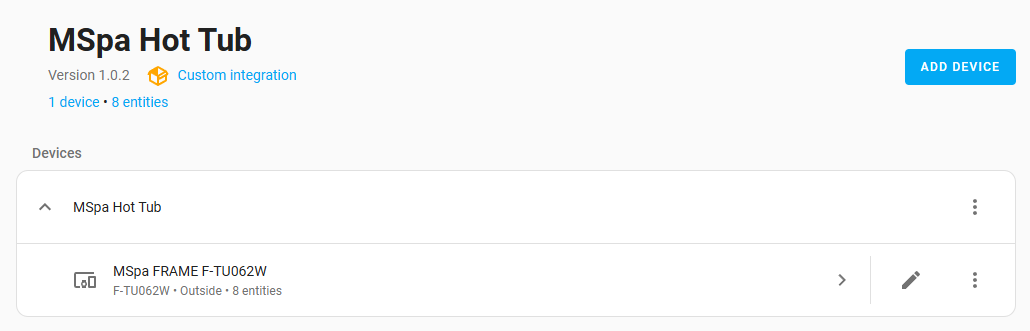
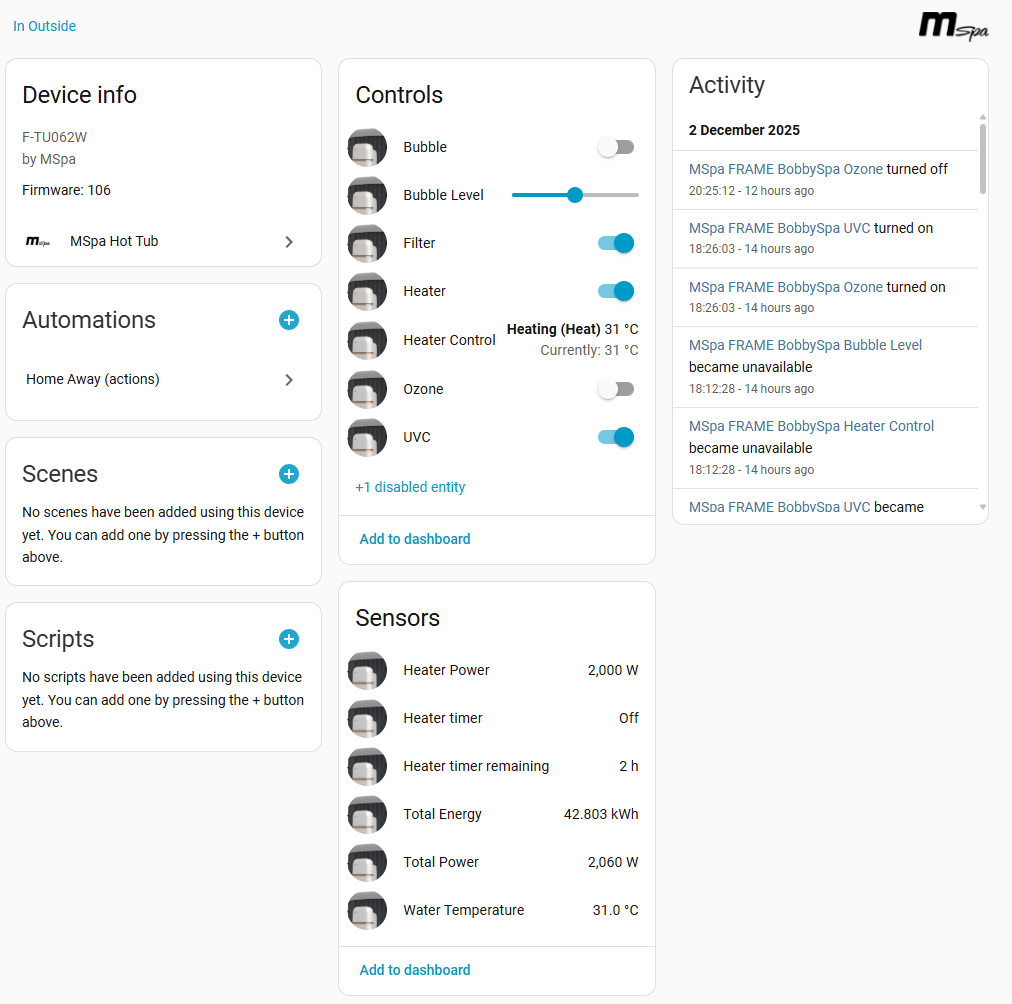
MSpa Hot Tub is an integration for controlling and monitoring MSPA spa baths from Home Assistant. It communicates locally and is set up in the UI with the MSPA account email, password and a server region, which is detected from the Home Assistant country setting and can be changed. It provides switches for the heater, bubbles and filter, a climate entity for temperature, and sensors for water temperature, power use and faults, plus buttons, numbers, dates and times, and binary sensors. Settings let the user enter the power draw of the pump, bubbles and heater so consumption can be estimated. Further options cover resetting the temperature unit and restoring earlier settings after a power cut, choosing a weather entity to refine heating estimates, setting a target for scheduled heat-ups, and defining how long the spa may be silent before it counts as offline. A filter status sensor is available for spas that support it, and a repair notice appears when no weather forecast can be read.
Automatic summary of the README and code of DTekNO/mspa-homeassistant. Something wrong, or are you the maintainer and want your own text here? Get in touch
Supports
Works locally Talks to your devices on your own network. No vendor cloud in between.
From the Marketplace Installed through the Marketplace, formerly HACS.
Actively maintained Its author released or pushed a change in the last six months.
Provides
- Climate
- Switches
- Sensors
Setting it up
Install it from the Marketplace and restart Home Assistant, then add it under Settings, Devices and services.
MSpa Hot Tub Setup
- EmailYour MSpa account email address
- PasswordYour MSpa account password
- Server RegionSelect the server region for your location. The correct region is automatically detected based on your Home Assistant country setting, but you can override it if needed.
Select Device
- DeviceWhich spa on this account to add. Only one can be set up per entry — add the integration again for a second spa.
After setup
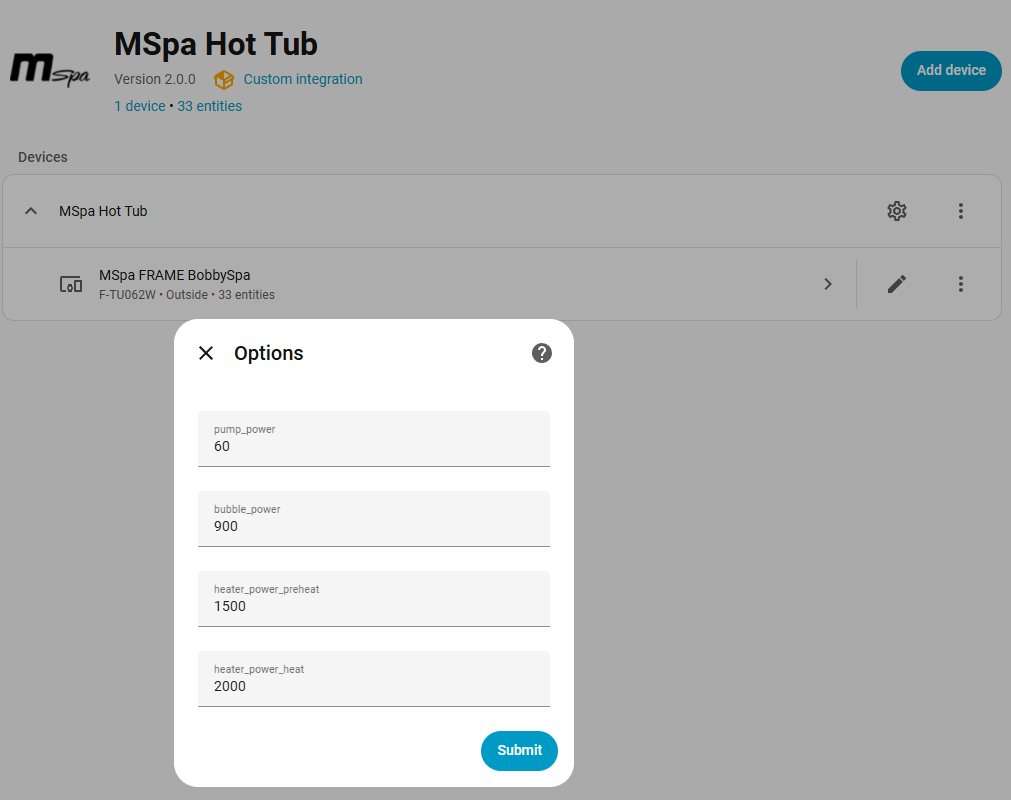
- Pump/Filter Power (Watts)Power consumption when the filter pump is running (typically 60W)
- Bubble Generator Power (Watts)Power consumption when bubbles are active (typically 900W)
- Heater Preheat Power (Watts)Power consumption during preheat mode (typically 1500W)
- Heater Active Heating Power (Watts)Power consumption during active heating (typically 2000W)
- Reset the spa's °C/°F after a power cutThe spa forgets whether it is set to Celsius or Fahrenheit when it loses power. When it comes back online, set it again to match Home Assistant.
- Check the unit on every poll, not only after a power cutFor spas that forget the unit without ever losing power. Checks on every update and sends a command only when the unit is actually wrong.
- Restore the previous settings after a power cutWhen the spa comes back online, send back the target temperature and settings it had before the power cut. This writes to the spa, so leave it off if you would rather nothing were set on your behalf.
- Weather Entity (optional)Select a weather entity (e.g. Met.no, OpenWeatherMap) to bias heating estimates by ambient temperature and wind speed. Historical sessions are weighted by how closely their conditions match the current weather.
- Target temperature for a scheduled heat-upWhat a scheduled heat-up aims for, as opposed to the setpoint you choose by hand. Also adjustable at any time from the Schedule Target Temperature entity.
- Call the spa offline after (minutes)How long the spa may stay silent before the Connectivity sensor reports it offline. Short gaps are normal: a broadband blip or a missed cloud poll clears in well under a minute.
Texts from the code of DTekNO/mspa-homeassistant.
Troubleshooting
- Repair noticesNotices it can show in Settings, Repairs:MSpa cannot read a weather forecast
From the README
This repository contains a custom Home Assistant component. You can easily install it using HACS.

Shows in Vulpo
Quick Toggle card, Climate card, Button card, Chart card, Apple Watch, Control Center, Climate Live Activity.Information
- Installs
- 250 sharing analytics
- GitHub stars
- 21
- Connection
- Works locally
- Upkeep
- Updated in the last 6 months
- Version
- v2026.8.2,
- Category
- Water, Pools and spas
- Kind
- Marketplace integration
- Needs
- Needs the Marketplace (HACS on 2026.10 and older)
- Domain
mspa- Issues
- Report an issue