
Ecowater Softener
barleybobs
On Home Assistant 2026.11 or newer? Open it in the Marketplace
- Installs
- 332 sharing analytics
- GitHub stars
- 50
- Connection
- Uses the vendor's cloud
- Upkeep
- No update in over 18 months
- Version
- v4.1.0,
- Category
- Water, Water treatment
- Kind
- Marketplace integration
- Needs
- Needs the Marketplace (HACS on 2026.10 and older)
- Domain
ecowater_softener- Issues
- Report an issue
Independent directory, made by the developer of Vulpo. Not affiliated with Home Assistant or the Open Home Foundation.
Screenshots From the README of barleybobs/homeassistant-ecowater-softener.
About
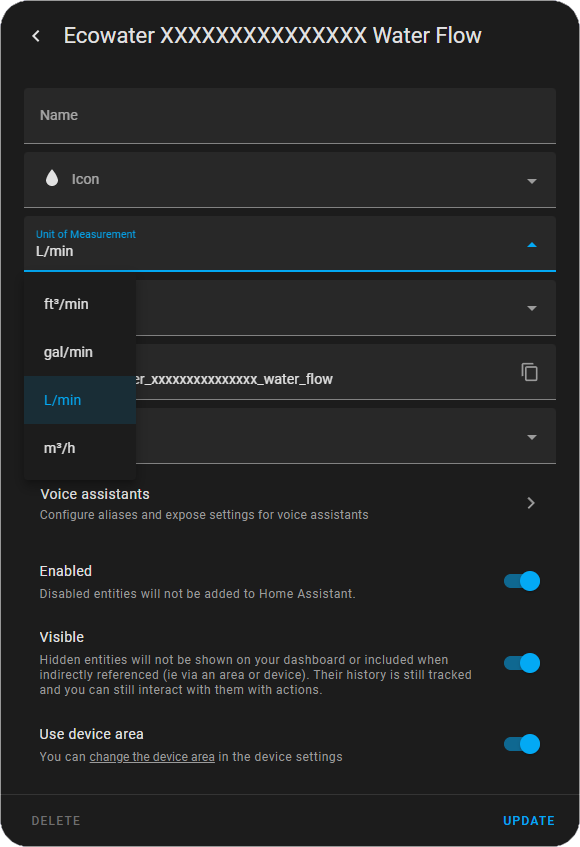
Ecowater Softener is an integration that pulls data from Ecowater water softeners into Home Assistant. It adds sensors for each softener found in an Ecowater account. Data is fetched through the vendor's cloud, so it needs an internet connection and an Ecowater account. Setup happens in the UI, asking for the account username and password, then offering a choice among the devices on the account. Units of measurement for the sensors can be changed in each entity's settings. It is installed through the Marketplace, or HACS on 2026.10 and older.
Automatic summary of the README and code of barleybobs/homeassistant-ecowater-softener. Something wrong, or are you the maintainer and want your own text here? Get in touch
Supports
Uses the vendor's cloud Needs an internet connection and an account with the vendor.
From the Marketplace Installed through the Marketplace, formerly HACS.
Provides
- Sensors
Setting it up
Install it from the Marketplace and restart Home Assistant, then add it under Settings, Devices and services.
Login
- Username
- Password
Devices
- Devices
Texts from the code of barleybobs/homeassistant-ecowater-softener.
From the README
Entities have been removed and added in v4.0.0. You may have to remove your device from the integrations menu and re-add it.

Shows in Vulpo
Chart card, Apple Watch.Information
- Installs
- 332 sharing analytics
- GitHub stars
- 50
- Connection
- Uses the vendor's cloud
- Upkeep
- No update in over 18 months
- Version
- v4.1.0,
- Category
- Water, Water treatment
- Kind
- Marketplace integration
- Needs
- Needs the Marketplace (HACS on 2026.10 and older)
- Domain
ecowater_softener- Issues
- Report an issue