
SYR Connect
alexhass
On Home Assistant 2026.11 or newer? Open it in the Marketplace
- Installs
- 169 sharing analytics
- GitHub stars
- 15
- Connection
- Uses the vendor's cloud
- Upkeep
- Updated in the last 6 months
- Version
- v1.27.0,
- Category
- Water, Water treatment
- Kind
- Marketplace integration
- Needs
- Needs the Marketplace (HACS on 2026.10 and older)
- Domain
syr_connect- Issues
- Report an issue
Independent directory, made by the developer of Vulpo. Not affiliated with Home Assistant or the Open Home Foundation.
Screenshots From the README of alexhass/syr_connect.
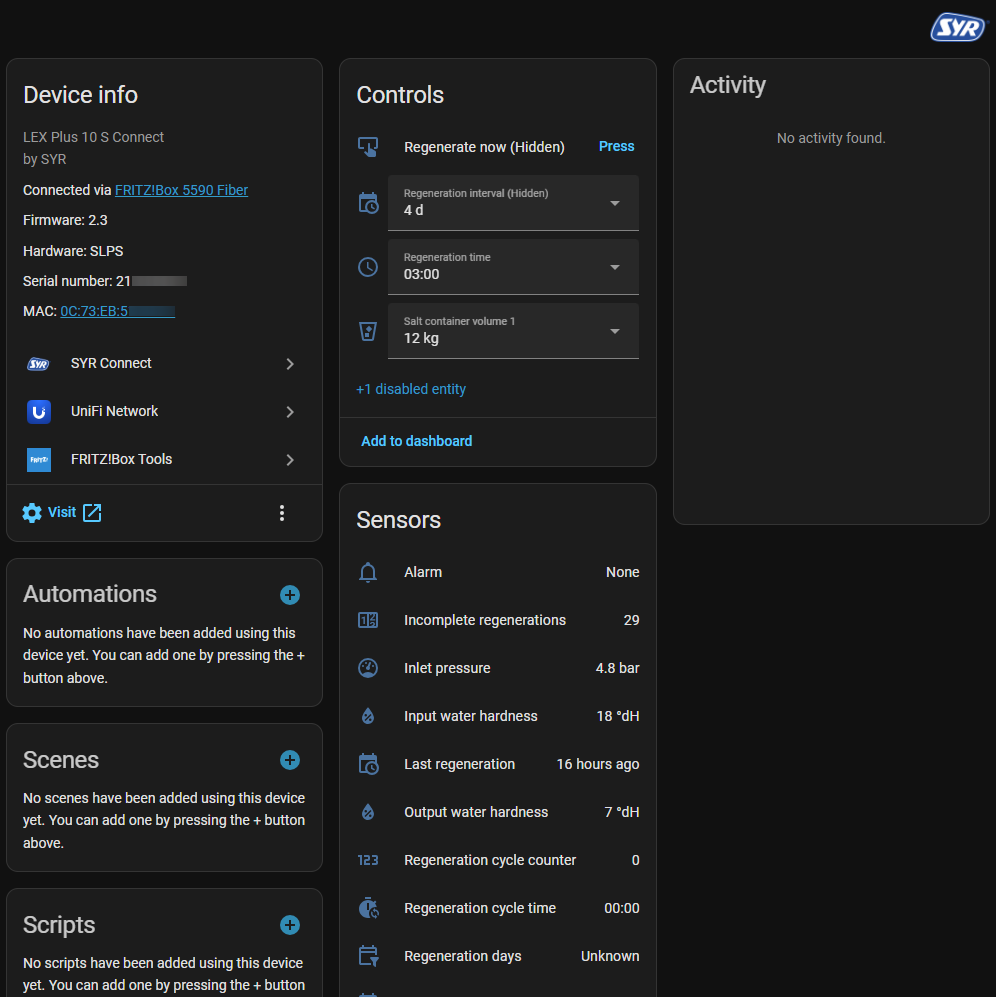
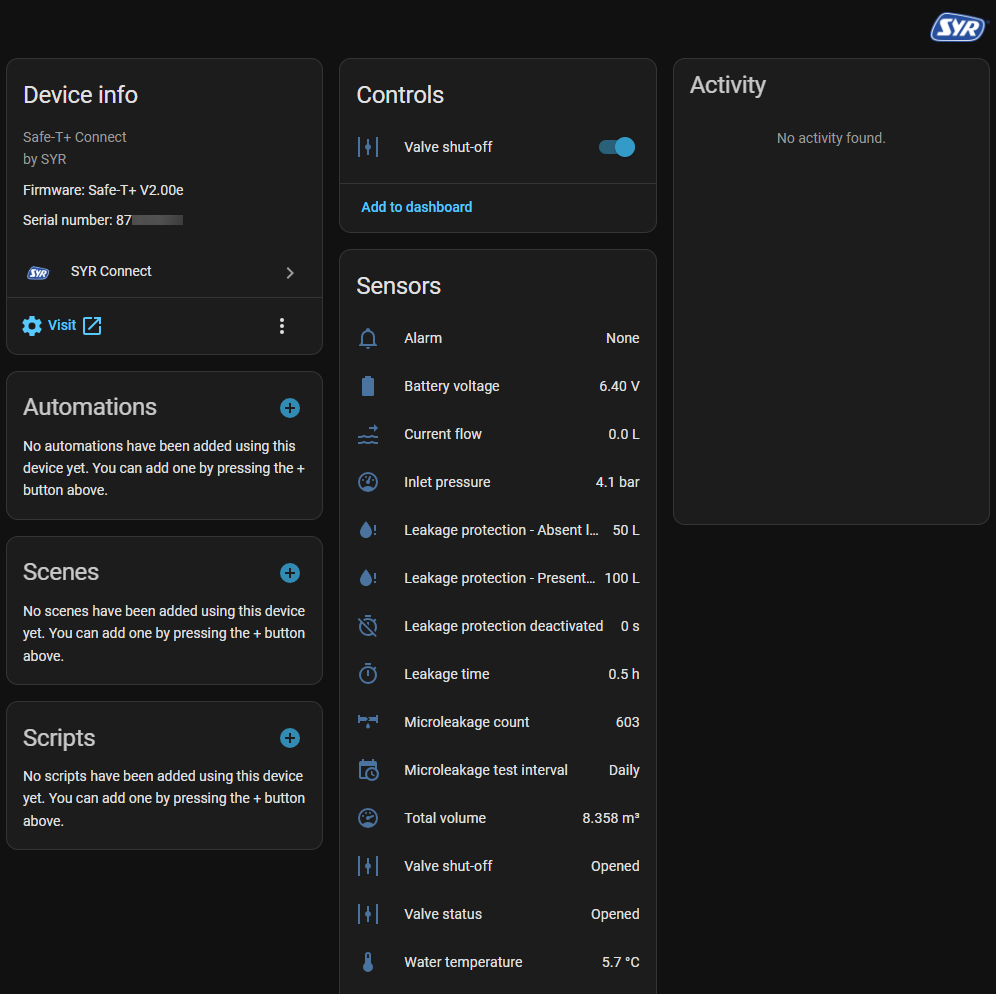
About
SYR Connect is an integration that controls SYR Connect water softeners and leak protection devices from Home Assistant. It adds sensors, binary sensors, switches, buttons, selects, valves and firmware updates for the connected devices. Buttons cover actions such as resetting an alarm, starting a microleakage test and regenerating now, while selects adjust values like raw water hardness and alarm duration. Two connection modes exist: a cloud mode that uses the vendor's cloud with account credentials, and a local mode for newer devices that takes a hostname or IP address and a device model. Identical devices from other brands, such as Sanibel and CONEL, also work, and mixed installations are supported. An option sets the update interval, and a diagnostics download is available for bug reports.
Automatic summary of the README and code of alexhass/syr_connect. Something wrong, or are you the maintainer and want your own text here? Get in touch
Supports
Uses the vendor's cloud Needs an internet connection and an account with the vendor.
From the Marketplace Installed through the Marketplace, formerly HACS.
Actively maintained Its author released or pushed a change in the last six months.
Provides
- Valves
- Switches
- Sensors
Setting it up
Install it from the Marketplace and restart Home Assistant, then add it under Settings, Devices and services.
SYR Connect (Local)
- Hostname or IP addressThe IP address or hostname of the device in the local network is entered here, without a port.
- Device modelThe model of the device is selected here.
SYR Connect (Cloud)
- PasswordThe password used to sign in to the cloud is entered here.
- ServiceThe cloud used with the devices is selected here. Every cloud has accounts of its own.
- UsernameThe username used to sign in to the cloud is entered here.
Reauthenticate SYR Connect
- PasswordThe password used to sign in to the cloud is entered here.
- UsernameThe username used to sign in to the cloud is entered here.
Reconnect SYR Connect (Local)
- Hostname or IP addressThe IP address or hostname of the device in the local network is entered here, without a port.
- Device modelThe model of the device is selected here. It determines the address of its local API.
Reconfigure SYR Connect
- Hostname or IP addressThe IP address or hostname of the device in the local network is entered here, without a port.
- Device modelThe model of the device is selected here.
- PasswordThe password used to sign in to the cloud is entered here.
- ServiceThe cloud used with the devices is selected here. Every cloud has accounts of its own.
- UsernameThe account used to sign in to the cloud is entered here.
After setup
- Update intervalSets the number of seconds between two updates. At least 60 seconds are possible for the cloud and at least 10 seconds for local devices, at most 600 seconds in both cases.
Texts from the code of alexhass/syr_connect.
Entities
- Binary sensorsLeak protection, Buzzer on alarm, Conductivity sensor, Daylight saving time, Pressure sensor, Firmware check, Temperature sensor, Valve test
- ButtonsReset alarm, Start microleakage test, Reset notification, Reset device, Regenerate now, Regenerate multiple times, Reset warning
- SelectsAlarm duration, Cartridge size, Cartridge type, Filter backwash interval, Filter type, Raw water hardness, Maximum output conductivity, Humidity (minimum), Temperature (minimum), Humidity (maximum), Temperature (maximum), Soft water hardness, and 15 more
- SensorsDevice connectivity, Valve shut-off, Alarm, Alarm duration, Last alarms, Last notifications, Last warnings, Access point timeout, Current flow, Battery level, Inlet pressure, Outlet pressure, and 208 more
- SwitchesAllow profile change on the device, Buzzer on alarm, Filling mode, Automatic backwash, Backwash reminder
- UpdatesFirmware update
- ValvesValve shut-off, Valve status
Troubleshooting
- DiagnosticsDownloads a diagnostics file to attach to a bug report.
From the README
This custom integration enables control of SYR Connect devices through Home Assistant. This integration can also be used with identical devices from other brands. Mixed installations of different brands are supported as well.
- CONEL CLEAR PRO FILL
- CONEL CLEAR PRO LEAKAGE PROTECTION
- CONEL CLEAR PRO SOFT
- Sanibel Leak Protection Module A25
- Sanibel Softwater UNO A25
- SYR LEX 1500 Connect Single (LEX10/LEX20/LEX30/LEX40/LEX60/LEX80/LEX100)
- SYR LEX Plus 10 Connect
- SYR LEX Plus 10 S Connect
- SYR LEX Plus 10 SL Connect
- SYR NeoSoft 2500 Connect
- SYR SafeFloor Connect
- SYR Safe-T+ Connect

Shows in Vulpo
Quick Toggle card, Button card, Select card, Valve card, Apple Watch, Control Center.Information
- Installs
- 169 sharing analytics
- GitHub stars
- 15
- Connection
- Uses the vendor's cloud
- Upkeep
- Updated in the last 6 months
- Version
- v1.27.0,
- Category
- Water, Water treatment
- Kind
- Marketplace integration
- Needs
- Needs the Marketplace (HACS on 2026.10 and older)
- Domain
syr_connect- Issues
- Report an issue