Home Assistant on Apple Watch: apps, actions and complications
The official Home Assistant app installs a free watch app that runs scripts and scenes, talks to Assist, shows complications and, since its 2026 redesign, controls lights, locks, climate and more. Vulpo and Wrist Assistant are alternatives with Digital Crown controls, and their pages say both keep working over Wi-Fi or cellular with the iPhone off.
 Joshua Dessol
Which watch app does what
As of November 2026, four main apps put Home Assistant on the Apple Watch with device controls. They differ in what else the watch does, what they need on the server and what their sources say about the iPhone being off. "Not stated" means no page checked for this guide says either way. Prices are US prices.
- Home Assistant (official): Free and open source, and it runs on the oldest watches, from a Series 4. Its 2026 redesign brought device controls and areas to the wrist, and it is the one app here whose pages say it registers the watch in Home Assistant as a device. It needs nothing extra on the server, because the Mobile App integration is on by default. Its newest complications are still in Labs, and its documentation still describes the watch app before the redesign, so the App Store release notes are the better guide to it today. Best for a free, open-source app, an older watch, Assist on the wrist, or reporting the watch itself to Home Assistant.
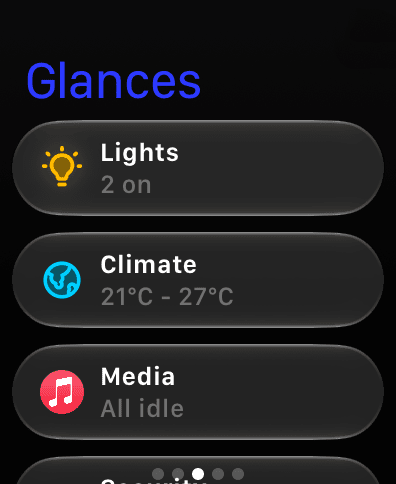
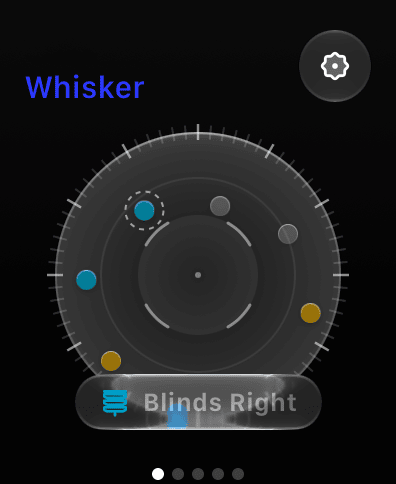
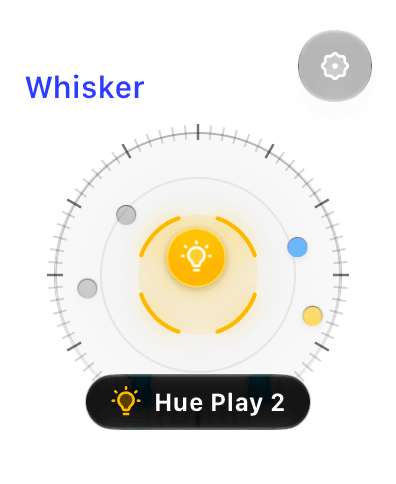
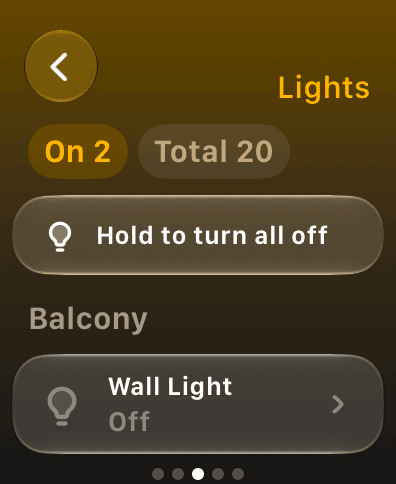
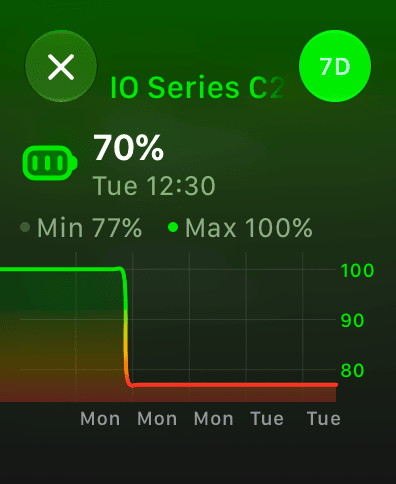
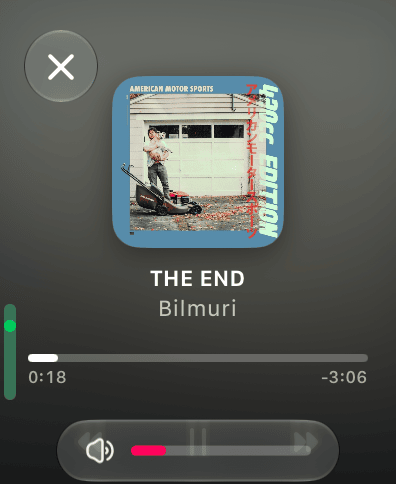
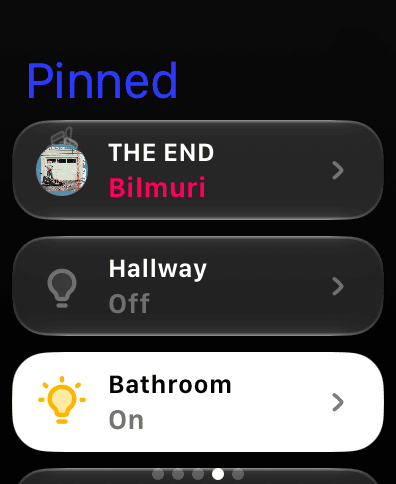
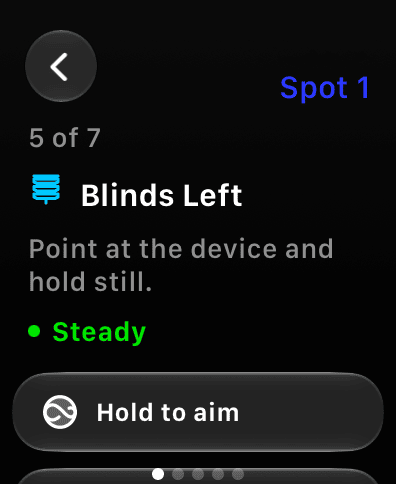
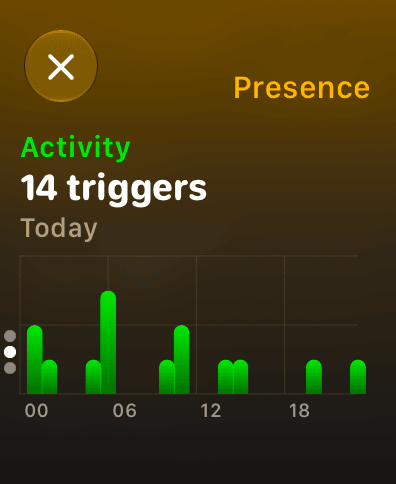
- Vulpo: A free watch app with Digital Crown controls for lights, covers, climate, fans, locks, media, vacuums and alarm panels, sensor history you scrub with the Crown, and complications for any entity in four sizes. Its pages hold Glances, favorites, scenes and pinned cards. Whisker, pointing the watch at a device to control it, is in Vulpo Labs with Pro and needs a Series 9, Ultra 2 or newer. It needs watchOS 26 and nothing on the server, and it has no Assist. Best for Digital Crown control and sensor history on a recent watch, with nothing to install on the server. Vulpo is made by the publisher of this site.
- Wrist Assistant: Built around the watch, with pages of tiles you design on the iPhone, purpose-built controls for 50+ entity domains, camera streams with Pro, Assist, and Point Control when Home Assistant has a room sensor. It needs its own integration on the server, from HACS or copied in by hand. After a 30-day trial its free mode keeps one page, and Pro is a one-time purchase. Best for people who live on the watch and want custom pages, cameras and Assist there, and don't mind an integration on the server.
- CasaRay: A native Home Assistant app for iPhone, iPad and Mac whose free tier includes home status and manual controls on the watch; version 2.1 put all pinned favorites there, and 2.2 adds today's events and waste collections. Plus costs $3.99 a month or $24.99 a year. Its Assistant voice works through the paired iPhone. Best for people who already use CasaRay on the iPhone and want its favorites on the wrist.
- Smaller apps: Also updated in the last 12 months are Talo, whose watch app toggles chosen entities and works without the iPhone nearby on a watch with its own network; HomeFlow, whose watch app (with HomeFlow+) sets temperature with the Digital Crown; Maestro Snap, which controls the device you point the watch at; and HomeBuddy, voice control from the watch.
| App | On the watch | On the server | Without the iPhone | watchOS | Price |
|---|---|---|---|---|---|
 Home Assistant (official) | Controls, Assist, complications | Nothing extra | Partlyactions confirmed | 9 or newer | Free, open source |
 Vulpo | Crown controls, sensor history | Nothing | Yesover Wi-Fi or LTE | 26 or newer | Free; Whisker with Pro |
 Wrist Assistant | Tile pages, cameras, Assist | Its own integration | Yesover Wi-Fi or cellular | 11 or newer | Free; Pro $9.99 once |
 CasaRay | Favorites, status, events | Not stated | Not stated | 10 or newer | Free; Plus $3.99 a month |
Actions in the official app
In the Home Assistant app on the iPhone, open the settings, then Apple Watch, then Configuration. Choose which scripts and scenes appear on the watch, in which order and how they look, and whether one asks for confirmation before it runs; iOS Actions you already had show up there too. Save, then reload on the watch. Since spring 2026 you can sort items into folders, and since version 2026.7.0 the watch has its own settings screen. You can also add an entity from its more-info dialog in the app, through Add to. The companion documentation still describes this older setup; the release notes up to version 2026.10.3 (October 29, 2026) add the rest:
- Device controls: Since versions 2026.8.0 and 2026.9.0 the watch app controls lights, covers, fans, climate, locks and vacuums. A vacuum opens its own screen with start or pause, stop, dock, locate and fan speed.
- Areas: Areas show on the watch's home screen by default, with their entities grouped by device; tapping a device opens its controls and sensors.
- Taps: Since 2026.10.2, tapping an entity turns it on or off according to its state, as the web frontend does.
- Assist: The watch has had Assist since 2024.7. Since 2026.10 you tap or hold to talk, and an Assist control can go on the Apple Watch Ultra's Action button or, on watchOS 26, in the watch's Control Center.
When actions or the watch app don't show up
The documentation has no troubleshooting page for a watch app that doesn't sync, so these are its setup steps first, then the fixes that come up again in community threads and the app's issue tracker.
- Save and reload: After you change the watch configuration on the iPhone, save it and reload on the watch, or the watch keeps its old list.
- Check watchOS: The official watch app needs watchOS 9 on a Series 4 or newer. Version 2026.7.1 was the last one for watchOS 8.
- Update the app: In July 2026, a fresh install offered no scenes or scripts for the watch until release 2026.7.3.
- Reinstall the watch app: When the list or its order stays old, several posters fixed it by deleting the watch app and installing it again, one perhaps only for a while. If the app won't open, remove it from the watch, turn it off in the iPhone's Watch app, restart the watch and install it again.
- Give it time: In some threads, scripts or the whole Apple Watch section came back on their own later, with no clear cause.
- Notification buttons: Buttons on actionable notifications show on the watch only when the watch app is installed.
- Starting over: If you remove and reinstall the iPhone app to start clean, check in the iPhone's Watch app that the watch app went too.
- Wrist Assistant: After an update, watchOS installs the new watch app on its own schedule. Putting the watch on its charger, or turning Show App on Apple Watch off and on in the Watch app, speeds it up; if it's missing from the face picker after version 3.0, restart the watch.
Add a complication
Touch and hold the watch face, tap Edit, swipe to the complications screen, tap a slot and choose the Home Assistant app, Vulpo or Wrist Assistant, then pick what it shows. You can do the same on the iPhone in the Watch app, under My Faces.
Complications in the official app
According to its documentation, the official app's complications show text, a ring or gauge, or an icon from the Material Design Icons set, in the Graphic Circular, Graphic Corner, Graphic Rectangular and Modular Large families. Text, rings and gauges are filled from Home Assistant templates, which need an admin account, and a ring or gauge takes a value between 0.0 and 1.0, so the template usually divides the state by its maximum. Since versions 2026.8.0 and 2026.9.0 the app also has rebuilt complications, in Labs, set up on the watch itself: each one shows an entity or a template, in circular, corner, rectangular and inline sizes, with slots such as icon, title and value that you show, hide or fill. The documentation doesn't cover those yet. If a complication is missing from a face, pick the type that fits it, for example Graphic Circular for Infograph Modular, and add it on the watch when the iPhone doesn't offer it.
{{ states('sensor.phone_battery_level') | float(0) / 100 }}Complications in Vulpo and Wrist Assistant
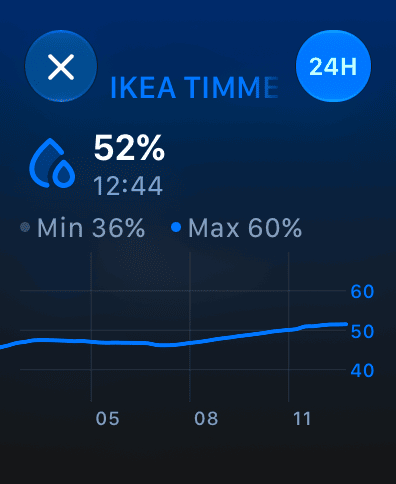
Vulpo's Entity complication shows the state of any Home Assistant entity in the circular, rectangular, inline and corner sizes, and the rectangular one also works as a widget in the Smart Stack. While you edit the face, you pick a favorite or browse by type: lights, switches, covers, climate, fans, locks, vacuums or sensors. A second complication opens Whisker. Complications are part of Vulpo's free watch app. Wrist Assistant's complications are free on every tier since version 3.0, and you build them in a Wrist Assistant panel in the Home Assistant sidebar, as an admin, which builds its iPhone widgets too.
How often complications refresh
watchOS gives each app a limited budget for background updates, so a complication is a glance, not a live reading. The official app's documentation says its complications refresh about on the hour and at :15, :30 and :45, with watchOS picking the exact moment, and that a complication on a face you aren't wearing updates much less often. Its update_complications notification command forces an update, for example from an automation when a value changes; watchOS allows 50 of these a day (the app's Apple Watch settings show what's left), one can take seconds to minutes, and it doesn't work over Local Push yet. Vulpo's complications refresh about every 15 minutes.
action: notify.mobile_app_your_iphone
data:
  message: update_complications
What Home Assistant can learn from the watch
Since version 2026.9.1 the official app can register the watch in Home Assistant as its own device, which reports its own battery level and state on its own schedule, without the iPhone. You turn its sensors on in the watch's settings, and since 2026.9.3 you choose them per server. Since 2026.10 the watch can also report its location, set per server to Exact, Zone only or Never, which is the default. The sensors page of the documentation still describes the older pair of watch battery sensors, which the iPhone reports while a Home Assistant complication is on the face; the app turns those off once the watch reports for itself.
- Health data: The official app's Apple Health sensors, in Labs, read heart rate, resting heart rate, heart rate variability, blood oxygen and sleep from Apple Health on the iPhone, which can include what a paired watch recorded. Sleep stages need a source that records them, such as the watch. These are periodic reads; no source shows a live heart rate stream to Home Assistant.
- Activity rings: The documentation lists Exercise and Stand ring sensors for app 2026.11.0, in beta, which isn't on the App Store yet as of November 2026.
- Presence by Bluetooth: Home Assistant's Private BLE Device integration recognizes an Apple Watch by its Identity Resolving Key, which you read from Keychain Access on a Mac signed in to the same iCloud account, and reports home or away with an estimated distance. Bermuda, a custom integration, builds on it to report the area of the nearest Bluetooth proxy, and Wrist Assistant's docs suggest it for tracking the watch room by room.
- Room presence: The official watch app reports a location, not a room.
- Other apps: Health Assistant Link sends Apple Health data to Home Assistant through its own HACS integration, and its watch app keeps the sync running while the iPhone is locked. The pages of Vulpo, Wrist Assistant and CasaRay name no watch sensors sent to Home Assistant, so keep the official app installed for these.
Without the iPhone
A watch app can reach Home Assistant on its own when the watch is on Wi-Fi or has cellular, as long as your server is reachable from where the watch is. Away from home that means an external URL, for example through Nabu Casa or your own domain. Vulpo's watch app connects directly in both cases and keeps working with the iPhone off. Wrist Assistant uses the iPhone when it can, otherwise Wi-Fi or cellular, and also keeps working with the iPhone off. Since July 2026 the official app's watch runs items over its own connection, and since late September 2026, when the iPhone is in reach, the watch hands the request to it, so the iPhone picks the local or remote URL; when it isn't, the watch sends it itself. Its 2024 announcement said watches with cellular can run actions away from the iPhone, with location permission. No official page says whether the whole watch app works with the iPhone switched off, and the watch has no WebSocket connection, so registry data such as areas comes from the paired iPhone.
Questions
Is there a Home Assistant app for Apple Watch?
Yes. The official Home Assistant app installs a free watch app that runs scripts and scenes, talks to Assist and shows complications, and since its 2026 redesign it also controls lights, covers, fans, climate, locks and vacuums. Vulpo, Wrist Assistant and CasaRay have watch apps too.
Why does my complication show an old value?
watchOS limits how often complications update in the background, and a complication on a face you aren't wearing updates even less. The official app's refresh about every quarter hour, timed by watchOS, and an automation can send the update_complications command when a value changes, up to 50 times a day and not over Local Push. Vulpo's refresh about every 15 minutes. If the value is old in Home Assistant too, the complication is showing it correctly.
Can Home Assistant see my Apple Watch's battery level?
Yes, with the official app. Since version 2026.9.1 the watch can register as its own device and report its battery level and state, once you turn its sensors on in the watch's settings. Before that, the iPhone reported the watch's battery while a Home Assistant complication was on the face.
Can I use Assist on the Apple Watch?
Yes, in the official app and in Wrist Assistant. The official app has had Assist on the watch since 2024.7; since 2026.10 you tap or hold to talk, and it can sit on the Apple Watch Ultra's Action button. Vulpo's watch app has no Assist.
Which Apple Watch do I need?
The official watch app needs watchOS 9 on a Series 4 or newer, CasaRay's watchOS 10, Wrist Assistant's watchOS 11 and Vulpo's watchOS 26. Vulpo's Whisker needs a Series 9, Ultra 2 or newer, as do Wrist Assistant's hand gestures.
Sources
Sources43
- Apple Watch (Home Assistant Companion documentation)
- Apple Watch complications (Home Assistant Companion documentation)
- Notification commands (Home Assistant Companion documentation)
- Actionable notifications (Home Assistant Companion documentation)
- Sensors (Home Assistant Companion documentation)
- Resetting the app (Home Assistant Companion documentation)
- Errors (Home Assistant Companion documentation)
- Home Assistant on the App Store (version history)
- Home Assistant iOS app releases
- Watch device controls and vacuum screen (pull request 5332)
- Areas on the watch (pull request 5502)
- Areas on the watch home by default (pull request 5516)
- Complication slots (pull request 5224)
- Assist on the Action button and in Control Center (pull request 5741)
- Tapping an entity on the watch (pull request 6050)
- Watch items over the watch's own connection (pull request 5210)
- Watch requests through a reachable iPhone (pull request 5871)
- The watch as its own device (pull request 5614)
- Older watch battery sensors turned off (pull request 5896)
- Watch sensors per server (pull request 5901)
- Watch location (pull request 5994)
- Getting ready for iOS 18 (Home Assistant blog, 2024)
- Mobile App integration
- Private BLE Device integration
- Bermuda wiki (GitHub)
- Forum: Apple Watch configuration not updating
- Forum: scripts not showing on the Apple Watch
- Forum: Apple Watch section missing
- Forum: no scenes or scripts to add
- Forum: watch app not selectable as a complication
- Watch app won't open (Home Assistant iOS issue 4667)
- Wrist Assistant on the App Store
- Wrist Assistant: concepts
- Wrist Assistant: setup
- Wrist Assistant: troubleshooting
- Wrist Assistant: Point Control
- Wrist Assistant changelog
- CasaRay on the App Store
- Health Assistant Link on the App Store
- Talo on the App Store
- HomeFlow on the App Store
- Maestro Snap on the App Store
- HomeBuddy on the App Store
Facts about other apps come from their App Store listings and documentation as of the date above. Home Assistant is a trademark of the Open Home Foundation; Vulpo is not affiliated with it. Corrections: josh@vulpo.app.
Vulpo for Apple WatchMore guides
- , 12 min read
Best Home Assistant dashboards
Sections, Mushroom, Bubble Card, Magic Frame and native iPhone and iPad apps compared: what each costs, where it runs and who it suits, November 2026. - , 7 min read
Home Assistant on an iPad
Turn an iPad into a Home Assistant wall panel or tablet dashboard: the official app's Kiosk Mode, Guided Access, Safari with kiosk-mode, panel apps and power. - , 11 min read
Home Assistant app not connecting
Why the Home Assistant app on iPhone or iPad won't connect, at home or away, and how to fix it: Local Network, Wi-Fi names, logins and remote access.