Op Home Assistant 2026.10 of ouder? Openen in HACS
- Installaties
- 51 die analysegegevens delen
- GitHub-sterren
- 26
- Verbinding
- Gebruikt de cloud van de aanbieder
- Onderhoud
- Bijgewerkt in de afgelopen 6 maanden
- Versie
- v0.25.0,
- Categorie
- Beveiliging en veiligheid, Camera’s
- Soort
- Marketplace-integratie
- Vereist
- Vereist de Marketplace (HACS op 2026.10 en ouder)
- Domein
fermax_blue- Problemen
- Probleem melden
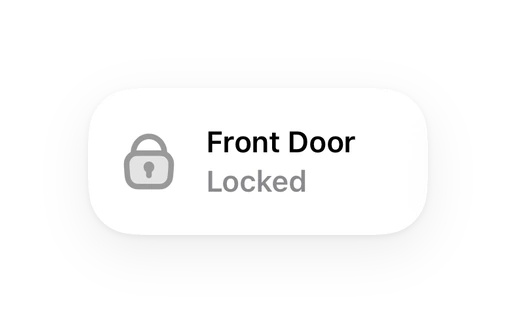
Te zien in Vulpo “Snel wisselen”-kaart, Slot-kaart, Camera-kaart, Knop-kaart, Apple Watch, Bedieningspaneel.
Onafhankelijk overzicht, gemaakt door de ontwikkelaar van Vulpo. Niet gelieerd aan Home Assistant of de Open Home Foundation.
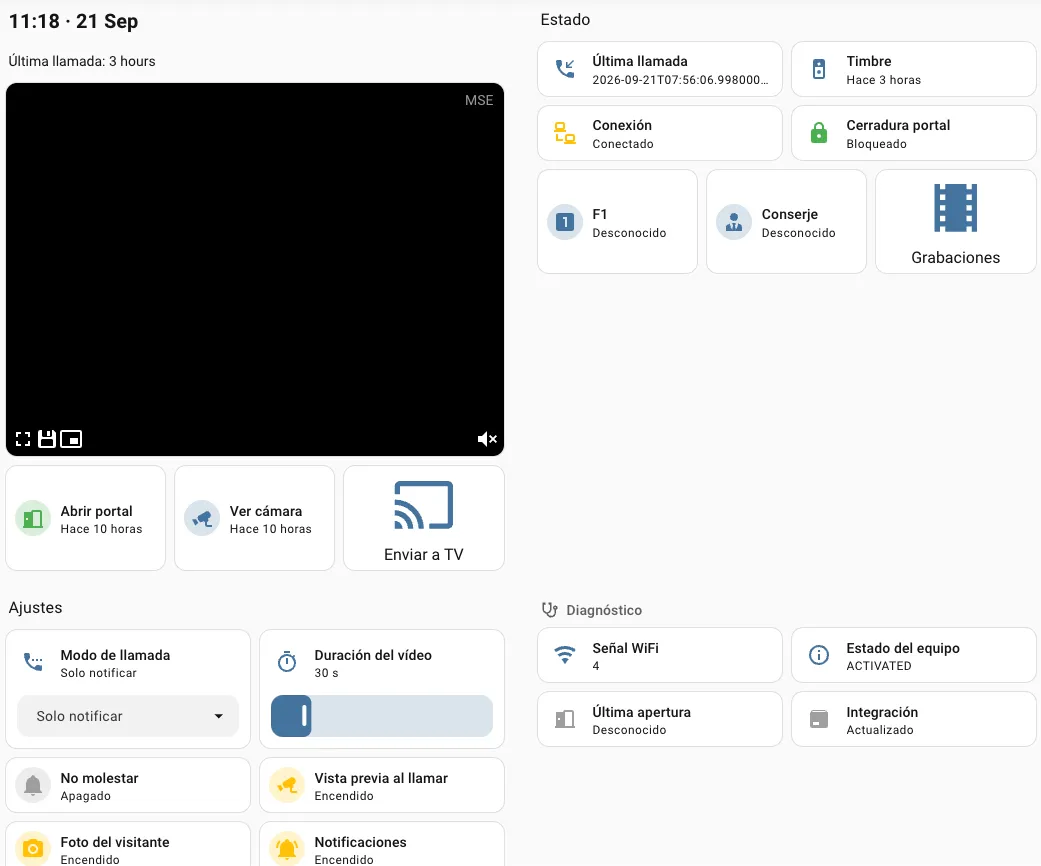
Screenshots Uit de README van bvis/fermax-blue-hass.
Over dit item
Fermax Blue is een Marketplace-integratie voor Home Assistant.

Te zien in Vulpo
“Snel wisselen”-kaart, Slot-kaart, Camera-kaart, Knop-kaart, Apple Watch, Bedieningspaneel.Ondersteunt
- Gebruikt de cloud van de aanbiederHeeft een internetverbinding en een account bij de aanbieder nodig.
- Uit de MarketplaceWordt geïnstalleerd via de Marketplace, voorheen HACS.
- Actief onderhoudenDe auteur heeft in de afgelopen zes maanden een release of wijziging gepubliceerd.
Levert
- Camera’s
- Sloten
- Schakelaars
- Sensoren
Instellen
Installeer de integratie vanuit de Marketplace en herstart Home Assistant. Voeg de integratie daarna toe onder Instellingen > Apparaten en diensten.
Fermax Blue Inloggen
- Wachtwoord
Opnieuw aanmelden
- Wachtwoord
Na het instellen
- Polling-interval (minuten)
- Opnames bewaren (dagen)
- Pad naar audiobestandWordt via de intercom afgespeeld als de belmodus Automatisch antwoorden is. Laat leeg om automatisch antwoorden uit te zetten.
Teksten uit de code van bvis/fermax-blue-hass.
Entiteiten
- Binaire sensorenVerbinding
- KnoppenOpenen, Camera voorbeeld, F1 hulpknop, Camera wisselen
- Camera’sBezoeker
- GebeurtenissenDeurbel, Deur geopend, Camera voorbeeld
- SlotenDeur
- NummersStreamduur
- SelectiesOproepstand
- SensorenWiFi-signaal, Status, Laatste opening, Laatste oproep
- SchakelaarsDeurbelmeldingen, Niet storen, Bezoeker foto, Voorbeeld bij aanbellen
Acties
- Audio naar intercom sturenSpeelt tijdens een livesessie een audiobestand of gesproken bericht af via de luidspreker van de intercom.
- Intercom
- Audiobestand
- Bericht
- Taal
Probleemoplossing
- DiagnostiekDownloadt een diagnostiekbestand om aan een bugmelding toe te voegen.
Uit de README
Home Assistant custom integration for Fermax Blue video door entry systems (DUOX PLUS / blueStream).
This integration simulates a Fermax Blue mobile app client, connecting to the Fermax cloud API and receiving real-time push notifications via Firebase Cloud Messaging when someone rings your doorbell.
- Live video streaming — Real-time video from the intercom camera (~720x480) with the intercom's audio, over WebRTC in the standard camera cards and the companion apps; MJPEG is still served. Opening…
- Talk-back — Speak to the visitor from a card that captures the microphone; the first word answers the call (see Live view and talk-back)
- Answer from your phone — A ready-made dashboard and notification blueprint: ring → notification with the visitor's photo → see, hear, talk and open the door from the companion app (see Answer calls…
- Camera preview — Last captured frame persists across HA restarts, always visible in the camera card
- Doorbell detection — Real-time push notification when someone rings (via Firebase Cloud Messaging)
- Door opening — Open your building's door remotely (lock entity + button)
- On-demand camera — Triggers the intercom camera without a doorbell ring via auto-on
- F1 auxiliary button — Trigger the intercom's F1 function
- Switch camera — Step through the cameras of multi-camera installations while a live stream is up (the intercom only accepts the change inside a session)
- Call guard — Call the building's guard/janitor
Informatie
- Installaties
- 51 die analysegegevens delen
- GitHub-sterren
- 26
- Verbinding
- Gebruikt de cloud van de aanbieder
- Onderhoud
- Bijgewerkt in de afgelopen 6 maanden
- Versie
- v0.25.0,
- Categorie
- Beveiliging en veiligheid, Camera’s
- Soort
- Marketplace-integratie
- Vereist
- Vereist de Marketplace (HACS op 2026.10 en ouder)
- Domein
fermax_blue- Problemen
- Probleem melden